WordPress SaaS Venture
One dashboard for every WordPress site you look after. Updates, uptime, security, backups and site health in one place, with a plain status your clients can see in wp-admin.
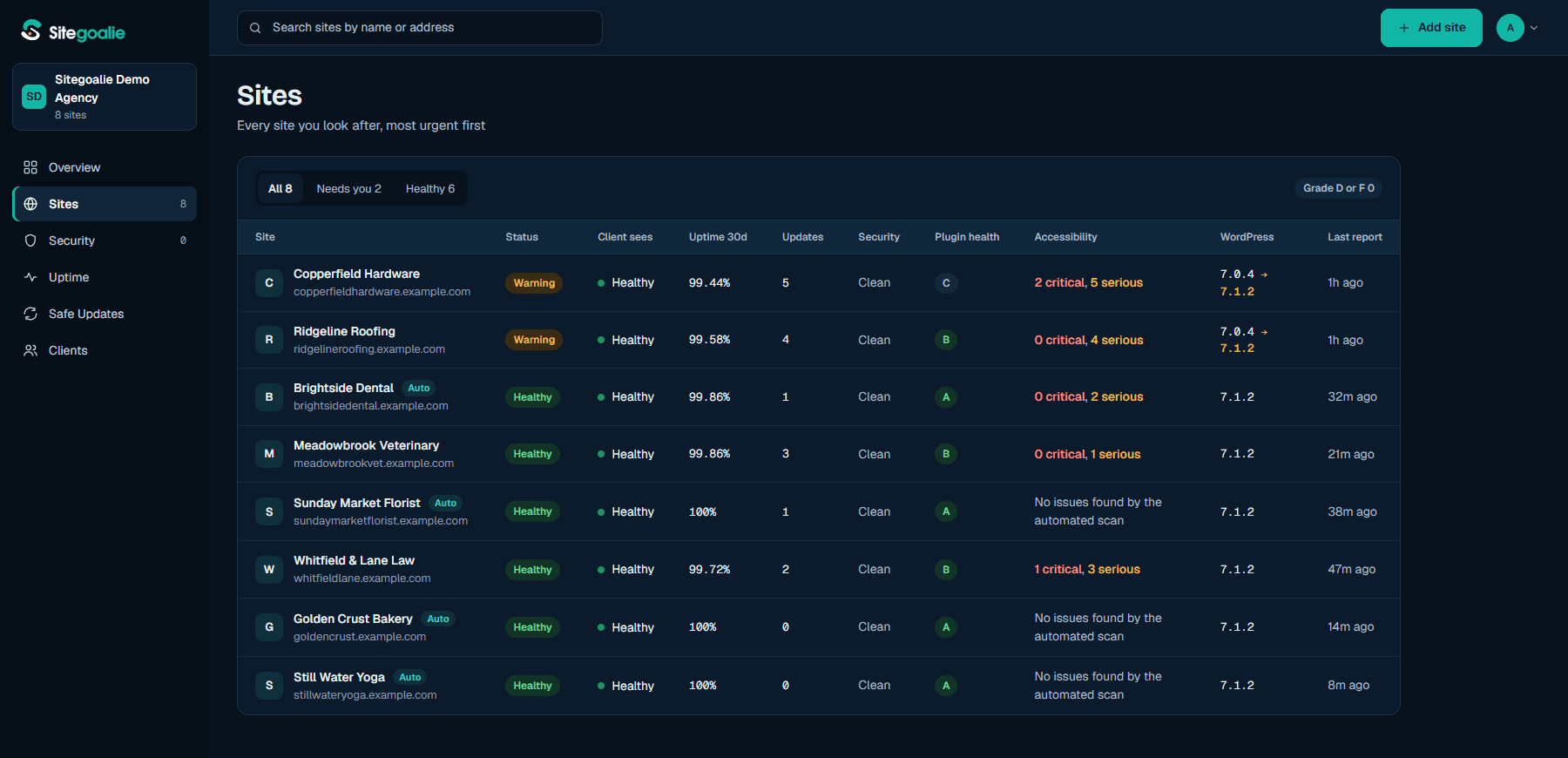
Sitegoalie is a SaaS by BrainFeed for agencies and freelancers who look after about 5 to 100 client WordPress sites, and for site owners who run their own. A small WordPress plugin reports each site's health to one dashboard: pending updates, Site Health, backups, uptime, security issues, plugin health grades and accessibility scans.
Inside wp-admin, the plugin shows the client a plain status - healthy or not, uptime this month, updates done - so they can see their site is looked after without learning a new tool.
It is read-only by default. Nothing on a site changes unless you turn on Safe Updates for that site.
We look after a lot of client WordPress sites, and checking them one by one - logging in for updates, reading Site Health, confirming backups ran - takes hours and still misses things. Too often the first sign of a problem was a client telling us their site was down.
Most maintenance tools want full control of every site from the start, and bulk updates with no check afterwards can quietly break a checkout or a contact form. We wanted one screen that shows every site's real state, and updates that check their own work.
Every site you look after on one screen, most urgent first: updates, Site Health, backups, uptime and security.
Clients see a simple status in wp-admin - healthy or not, uptime, updates done - with no extra login.
The plugin reports and changes nothing. Updates from the dashboard stay off until you turn them on for a site.
Opt-in plugin and theme updates through WordPress's own updater. Snapshot first, check checkout, forms and wp-admin after, and roll back automatically if something breaks.
Known security issues, plugin health grades and accessibility scans for each site.
Uptime checks with a 30-day history, so you hear about a down site before your client does.
Sitegoalie is live at sitegoalie.com. There is a Free plan for one site, and Solo, Pro and Agency plans for more sites. See sitegoalie.com for plans and pricing.
The WordPress plugin has been submitted to the WordPress.org Plugin Directory.
We built Sitegoalie for the client WordPress sites we look after. Building it meant working out what actually breaks after a WordPress update, which checks catch it, and how to roll back cleanly. That same routine - snapshot, update, check, roll back - is how we run maintenance for every client we look after.
Start with the Free plan for one site, then move to Solo, Pro or Agency as you add more.
